

jeetbuzz mobile casino no deposit bonus is a promotional concept that readers often encounter before they have checked how a mobile-specific offer is actually structured. This editorial reference explains how to read such an offer on jeetbuzz2027.com in plain English, without promising that any particular reward exists or will be credited. Use it as a checklist for finding terms, comparing app and browser access, and confirming what your own account shows.
Contents
Understanding jeetbuzz mobile casino no deposit bonus
Start by separating the idea of a no deposit bonus from any specific promise. In general promotional language, a no deposit bonus describes a reward that is offered without requiring the player to make a payment first.
That broad description does not tell you the reward type, its value, the games it covers, or whether a mobile channel is treated differently from a desktop one. Treat the phrase as a label to investigate, not as confirmation that a particular offer is live for your account.
The mobile element deserves its own attention. An operator may run one promotion across all channels, or it may publish channel-specific rules that apply only when you access the service through a mobile browser or an installed application.
Because those arrangements change, you should not assume that a reward seen on a desktop page will appear identically on a phone. Check the current terms to see whether mobile access is mentioned separately and what that separate mention actually requires.
Eligibility is the next thing to pin down. Promotions commonly attach conditions such as account status, verification, age, location, and whether the account has claimed a similar reward before. None of these can be assumed from the headline phrase alone.
Read the eligibility section line by line and match each condition against your own circumstances. Where a condition is ambiguous, ask support for clarification before you take any action that might depend on it.
Think carefully about what “no deposit” does and does not mean in practical terms. It does not automatically mean the reward is free of conditions, and it does not guarantee that winnings can be withdrawn immediately.
Wagering requirements, game restrictions, time limits, and withdrawal rules may still apply, depending on the current terms. The relevant point for a reader is that the absence of a deposit requirement says nothing about the other conditions attached to the reward.
Finally, keep your expectations conditional. A sensible reading is: if the offer is available to you, and if you meet the published conditions, then the reward may be credited according to the rules in force at the time.
That framing protects you from treating marketing language as a guarantee. Re-check the terms whenever you return to the offer, because operator features and eligibility rules can change between visits.
Locate the Mobile Offer Terms
Begin with the promotion area of the site rather than with search results or third-party summaries. Operators usually group current offers in a dedicated section, and that section is the natural place to find the rules that actually govern a reward.
Look for the specific promotion name and open its detail page. If you cannot find a matching entry, that absence is itself useful information: it suggests you should not rely on the phrase alone.
Once you have the promotion page open, scan for the terms link rather than reading only the headline and banner text. The banner is designed to attract attention; the terms document is where conditions are set out.
Read the whole document rather than skimming, because mobile-specific clauses are often placed among general conditions rather than at the top. Note the date shown on the terms, if one is displayed, so you know which version you are reading.
Pay particular attention to wording about channels and devices. Some terms state plainly whether the offer applies through a mobile browser, an application, or both, and whether the reward differs by channel.
Others are silent on the point, which means you should ask rather than guess. If a document refers to a “mobile version” without defining it, request clarification about what counts and whether the rule affects your ability to claim or to use the reward.
Check how the terms describe eligibility and verification. Look for sections covering who may participate, what account status is required, and what steps must be completed before a reward can be used.
These sections frequently determine whether a claim will succeed, so read them before you act. Where the wording points to a separate policy document, follow that reference and read it too, since the promotion terms may incorporate other rules by reference.
Keep a record of what you find and when you found it. Save or note the promotion name, the terms version or date, and any answer you receive from support about mobile access.
If the terms later change, that record helps you understand what applied at the moment you acted. Where any feature or eligibility point matters to your decision, verify it against the current terms rather than relying on this reference or on older descriptions.
Compare App and Mobile Browser Eligibility
When you weigh how to claim a jeetbuzz mobile casino no deposit bonus, start by treating the app and the mobile browser as two separate routes that may carry different conditions. Open the promotion page on each route and note whether the offer text changes.
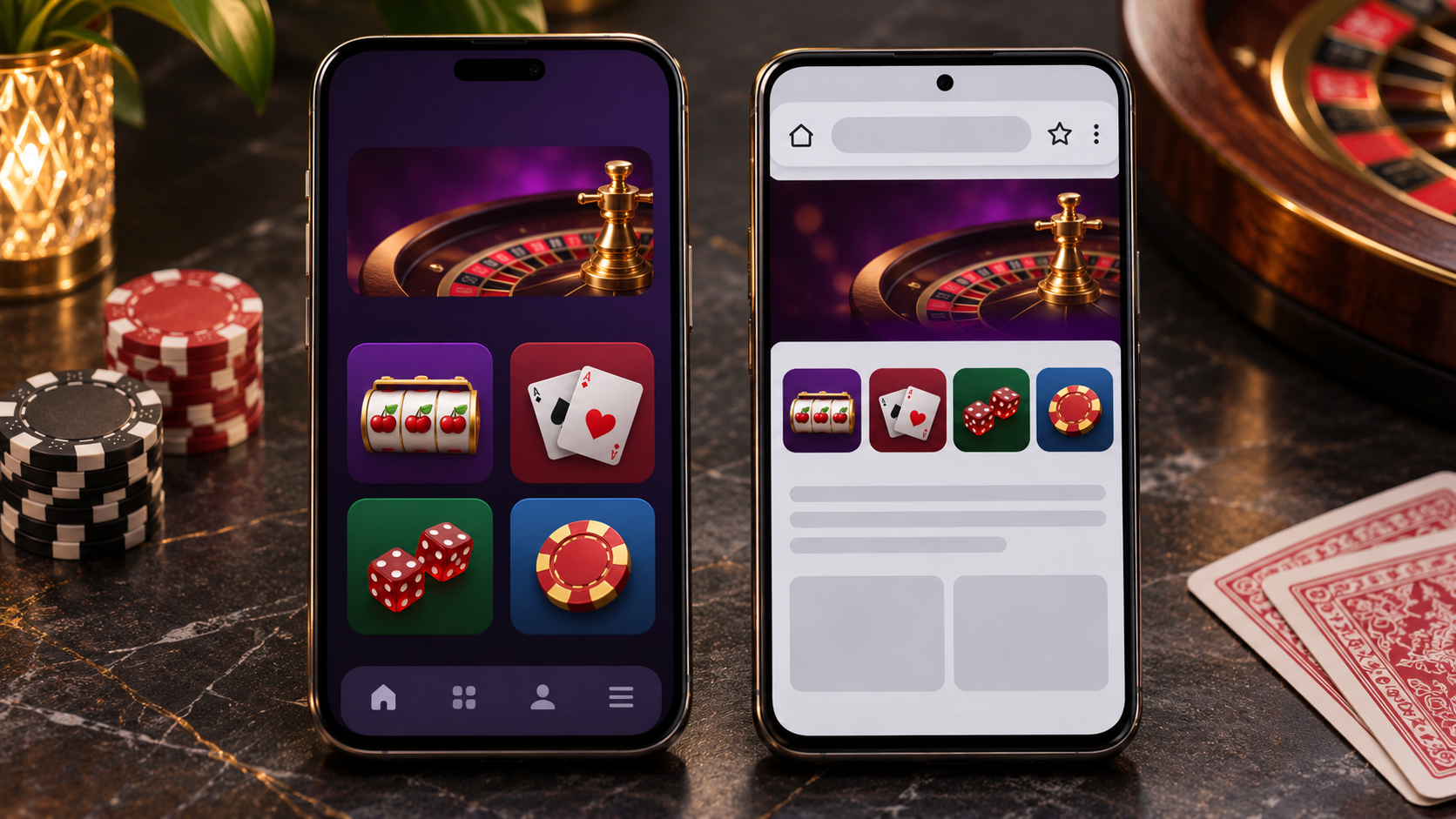
Look for wording about supported devices, operating system versions, and whether the bonus is described as app-only, browser-only, or available on both. If the text differs, the stricter version usually governs the route you are using, so record which route displays which terms before you register or opt in.
Next, check the account-level rules that apply regardless of route. Age and identity verification requirements, one-account policies, and geographic restrictions should be identical, but confirm this rather than assuming it.
Some operators tie certain promotions to a specific entry point, so a bonus visible in the browser may not appear in the app, or the reverse. Read the eligibility section on both versions and note any sentence that mentions installation, updates, or device compatibility, since those details decide whether your chosen route qualifies at all.
Practical checks help you avoid wasted effort. Confirm your device meets any stated minimum requirements, that your browser is current and permits the site to function normally, and that any app you use comes from the operator’s official distribution channel.
Avoid sideloaded or third-party builds, which can void eligibility. If the terms require a particular route, use that route from registration through wagering so your activity stays consistent with the offer conditions.
Watch for differences in how each route handles sessions and account access. A browser session may expire differently from an app session, and switching between them mid-promotion can complicate how your activity is recorded.
Where the terms are silent, ask support to confirm in writing which routes qualify for the jeetbuzz mobile casino no deposit bonus and whether switching is permitted. Keep that confirmation alongside your notes.
Finally, treat eligibility as time-sensitive. Operators revise device lists, supported browsers, and app requirements without much notice, so recheck the terms on the day you claim.
If anything about your device, region, or account status is unclear, resolve it before opting in. Current terms on the operator’s promotion page are the authoritative source, and they override any summary you read elsewhere, including this reference.
Follow the Mobile Claim Workflow
Begin the workflow by confirming you are eligible on your chosen route, then create or open your account through that same route. Complete any required identity verification before opting in, because unfinished verification can block crediting later.
Navigate to the promotion area, read the full terms again, and locate the opt-in control. Some no deposit offers require an explicit action, while others apply automatically; the terms will say which. Record the time you opt in and take a screenshot of the confirmation, since that record helps if credit does not appear.
If a bonus code is required, enter it exactly as shown, paying attention to capitalization and spacing, and submit it through the designated field rather than in a chat message. Confirm the code was accepted before you begin playing.
Where the offer is automatic, check your account or promotions page for a confirmation notice. Do not start wagering until you can see that the bonus is active, because play before activation may not count toward the offer’s requirements.
Once credited, follow the stated wagering conditions precisely. Note which games contribute, whether contributions differ by game type, and any maximum stake per wager. Keep your play within those limits and avoid mixing in activity the terms exclude.
If the terms require you to claim within a window or to use the reward before a deadline, set a reminder. Current terms govern the details, so verify contribution rules and time limits rather than relying on memory or general expectations.
Keep a simple record as you go: the opt-in confirmation, the code you used if any, the credit notice, and any support messages. This makes problems easier to resolve. If credit fails to appear, avoid repeated opt-in attempts, which can look like duplicate claims.
Instead, contact support through the official channel, describe the steps you followed, and attach your records. Ask them to confirm the status of your claim and what, if anything, you should do next.
Finish by verifying that your play is being counted as the terms describe before you request any withdrawal of winnings. Check that the reward shows as active, that your wagering progress is tracking, and that no verification step remains outstanding.
If the interface does not display progress, ask support how to confirm it. Treat the jeetbuzz mobile casino no deposit bonus as governed by the current terms at every stage, and recheck them if your session spans several days or if the operator updates the promotion.
Resolve Mobile Credit and Display Problems
If the reward does not appear after you complete the claim steps, avoid repeating the action immediately. Duplicate attempts can confuse eligibility checks and may make support reviews harder to untangle. Start by closing the app or browser tab completely, then reopen it and sign in again.
A fresh session often clears a stale screen that was showing old account information. Check that you are signed in to the same account you used for the claim, since a second account or a guest session will not display a reward tied to another profile. If the credit still does not show, note the time of your attempt and the on-screen message you received.
Display issues are common on mobile devices and are not always a sign that credit failed. A page that looks blank, a button that does not respond, or a banner that keeps loading can all be caused by a weak connection or an outdated cached page.
Switch between Wi-Fi and mobile data to test whether the connection is the problem, and clear the browser cache if you are using the mobile site. In the app, check for available updates through your usual app store route. Do not download installation files from unofficial sources, because those cannot be verified and may put your account at risk.
When a claim seems to have been accepted but no balance change follows, review the confirmation wording carefully. Some offers credit automatically, while others require a further step such as opening a specific game or waiting for a review. Read the message on screen rather than assuming the outcome.
If the terms describe a manual review, the reward may simply not be visible yet. Keep a screenshot of the confirmation if your device allows it, along with the date and time. This record helps support staff locate your attempt and saves you from having to reconstruct the sequence later.
Contacting support is the sensible next step when self-checks do not resolve the issue. Use the contact route listed on the operator’s own site or app rather than a third-party page, and describe the problem plainly: what you claimed, when you claimed it, what you expected to see, and what actually appeared.
Avoid sending repeated messages through several channels at once, as this can slow a response. Never share your password or full login details with anyone, including someone who claims to be helping. Support can verify account activity, but they will not need your password to do so.
Finally, keep expectations realistic while a problem is being reviewed. A display fault or a pending check does not guarantee that a reward will be granted, and the operator’s decision will follow the published terms. Do not spend money on the assumption that credit is on its way.
If the offer turns out not to apply to your account, treat that as a normal outcome rather than a fault on your device. Confirm current terms with the operator whenever eligibility or reward features need verification, since details can change between promotions.
Verify the Reward in the Mobile Wallet
Once you believe a reward has been credited, verify it in the wallet area rather than relying on a pop-up or banner. Open the balance or wallet screen and look for separate entries that distinguish real money from bonus or promotional credit.
Many mobile interfaces show these as distinct lines, and a reward may sit in a promotional balance that is not spendable everywhere. Read the labels on each line and note which one changed after your claim. If nothing changed, return to the previous section’s checks before contacting support. A clear before-and-after comparison is the strongest evidence you can hold.
Check how the reward is described in your account history. Transaction or activity logs often record a credit with a short description and a timestamp, which helps you confirm that the amount shown matches what the terms describe. Compare the wording with the offer details rather than with your memory of them.
If the history shows a credit but the main balance looks unchanged, the reward may be held in a separate promotional pot. This is a display convention, not necessarily an error. Note what you see so that any later question to support is specific and easy to answer.
Understand that a visible reward is not the same as withdrawable money. Promotional credit usually carries conditions, which may include play requirements, game restrictions, time limits, or a maximum conversion. These conditions should be stated in the offer terms, and you should read them before playing rather than after.
Do not assume that a displayed figure can be cashed out, and do not treat a promotional balance as a promise of any return. If the terms are unclear on a point that matters to you, ask the operator before you rely on the reward.
Watch for changes to the reward over time. Some promotional balances expire, and others adjust as you play through the conditions. Check the wallet again after your first session so you understand how the figure moves. If the balance drops unexpectedly, review the game rules and the offer terms to see whether a contribution rule explains it.
Keep your own simple record of the starting figure and the date, which makes later comparisons straightforward. Do not attempt to move promotional credit between accounts, as that is normally prohibited and can affect eligibility.
If verification leaves you uncertain, pause rather than proceed. A reward that cannot be clearly traced in the wallet is worth clarifying with support before you play further. Provide the claim time, the confirmation message, and what the wallet showed before and after, and ask which balance the reward should appear in.
Use only the operator’s official contact channels and current published terms for answers. Gambling is for adults aged 18+ only. A random number generator (RNG) determines outcomes in RNG-based casino games. Wins are not guaranteed.
Independent support: Gambling Therapy.